
Zoom
Cloud-based unified communications and collaboration platform for teams, customer service, events, and remote work. Zoom provides video meetings, persistent chat, VoIP phone service, webinars/events, whiteboard and contact center tools intended for businesses, educators, and organizations of all sizes.
What is Zoom
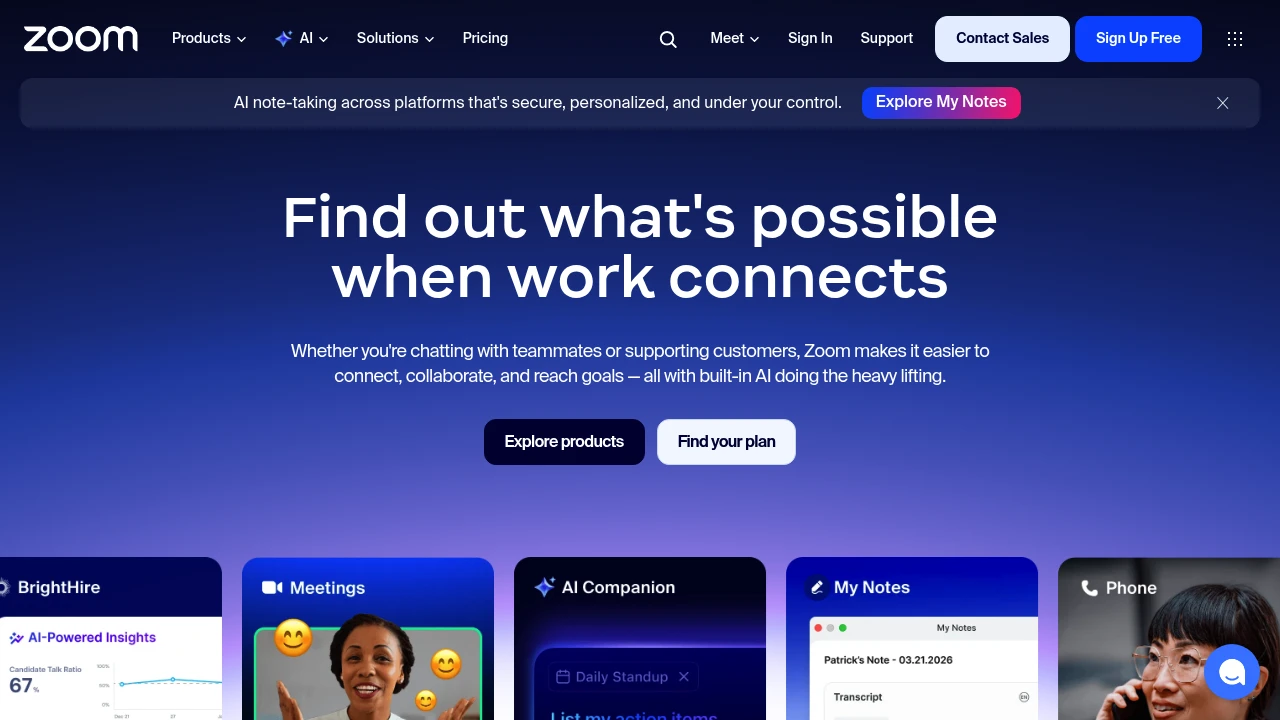
Zoom is a cloud-based unified communications platform that provides video meetings, persistent team chat, VoIP phone (Zoom Phone), webinars and virtual events, an AI assistant, and contact center capabilities. It is used by individuals, small teams, mid-market businesses and large enterprises to run remote and hybrid work, customer support, marketing events, sales demos, and learning sessions. Zoom packages these capabilities into modular products — Meetings, Chat, Phone, Contact Center, Events, Whiteboard and a developer platform — so organizations can select the components they need.
Zoom’s product family emphasizes low-friction meeting joins, cross-device support (desktop, mobile and conference room hardware), and integrations with calendar, CRM and productivity tools. The platform exposes SDKs and APIs for embedding video and building custom experiences with the Zoom Video SDK and Marketplace integrations. Security controls include account-level settings, role-based access, single sign-on (SSO) support, and configurable encryption options across services.
Adoption patterns vary by use case: many organizations use Zoom primarily for video meetings and chat while adding Zoom Phone or Zoom Contact Center to consolidate telephony and omnichannel customer interactions. Zoom also positions AI features — such as summary, action-item extraction and content generation — as part of paid workplace plans to reduce manual follow-up work.
Zoom features
What does Zoom do?
Zoom provides a set of distinct but integrated capabilities that cover real-time collaboration, persistent communication and customer-facing workflows. Core capabilities include:
- Meetings: HD video and audio conferencing with participant management, breakout rooms, polling, recording, and screen sharing across devices.
- Chat: Persistent 1:1 and group messaging with file sharing, searchable history, threads and channel organization for team collaboration.
- Phone: Cloud PBX/VoIP services with direct inward dialing, call routing, call recording, and PSTN termination for enterprise telephony.
- Contact Center: Omnichannel customer support combining voice, chat, email, SMS and video with routing, workforce management and analytics.
- Webinars & Events: Scalable webinar hosting and virtual/hybrid event tools with registration, producer controls, audience engagement and analytics.
- Whiteboard: Collaborative whiteboard for brainstorming with templates, sticky notes, drawing tools and exportable boards.
- AI Companion & AI tools: Meeting summarization, automatic notes, action-item extraction, content drafts, and assistance across meetings and chats.
Zoom integrates these features so organizations can run workstreams end-to-end — from a brainstorm captured on a whiteboard, to a meeting that auto-generates minutes, to a follow-up webinar that drives demand. The platform also supports hardware endpoints and room systems for synchronized in-room and remote participant experiences.
Zoom pricing
Zoom offers flexible pricing tailored to different business needs, from individual users to enterprise teams. Their pricing structure typically includes monthly and annual billing options with discounts for yearly commitments. Different Zoom products (Meetings, Phone, Contact Center, Events, Whiteboard, and Workplace bundles) have separate pricing, and many organizations combine multiple subscriptions depending on use cases.
Typical pricing patterns you will encounter:
- Free Plan: $0/month — Basic meetings with limits (for example, a 40-minute time limit on group meetings in the free tier), single-host usage and limited cloud recording and administrative controls.
- Starter: Entry-level paid meeting/host plans commonly priced in the low-to-mid monthly range per host; pricing varies by product and the number of hosts or seats required.
- Professional: Mid-tier plans that add cloud recording, larger meeting capacity, webinars in some bundles, and expanded admin tools; priced higher than Starter and typically available with per-host or per-seat billing.
- Enterprise: Enterprise plans are priced per seat or per seat+capacity, and include advanced security, SSO, dedicated support, SLA terms and custom contract pricing for large deployments.
Annual billing typically delivers a noticeable discount versus monthly billing (often in the range of about 10–25% depending on the product and commitment). Pricing for add-on services (for example, additional webinar attendees, large meeting add-ons, premium support, or Contact Center seats) is itemized separately.
Check Zoom's current pricing options for the latest rates and enterprise options. Visit their official pricing page for the most current information.
How much is Zoom per month
Zoom starts at $0/month for the Free Plan. Paid meeting-host or workspace subscriptions typically begin in the low-to-mid monthly range per host or seat (many organizations see entry-level paid meeting hosts priced around the low teens per month when billed monthly). Phone, Contact Center and Events have their own per-seat or per-concurrent-attendee pricing models, which can increase the overall monthly cost depending on the services purchased.
Licensing can be charged per host, per user, per seat or per concurrent attendee depending on the product; for example, webinar and event capacity is often priced by registrant/concurrent attendee tiers while Contact Center is priced per agent seat. Volume discounts and annual billing commitments lower the effective per-month cost.
For up-to-date monthly rates by product and seat type, check Zoom's current pricing options.
How much is Zoom per year
Zoom costs $0/year for the Free Plan. For paid plans, organizations commonly purchase annual subscriptions to secure discounts — typical yearly costs for entry-level paid hosts can fall in the low hundreds of dollars per host (for example, a typical paid meeting host billed annually can cost roughly the equivalent of a low-double-digit monthly rate multiplied by 12). Enterprise contracts for larger deployments are quoted based on seats, usage volume and negotiated discounts.
Because Zoom sells distinct products (Meetings, Phone, Contact Center, Events, Workplace bundles), a full-year estimate needs to account for which products and add-ons are required. Annual billing normally reduces per-seat costs and can include multi-year or volume-based discounts for large customers.
Visit their official pricing page for exact annual rates and current promotions.
How much is Zoom in general
Zoom pricing ranges from $0 (free) to enterprise-level pricing that can range into the tens or hundreds of dollars per seat per month for full-featured deployments. Entry-level paid meeting hosts typically sit in the low-to-mid monthly range per host, while specialized services (Contact Center agent seats, large event capacity, dedicated phone trunks) increase overall spend. Monthly and annual billing options are both common; annual plans usually provide a percentage discount compared with monthly billing.
Planning total cost of ownership requires accounting for host or seat counts, add-ons (webinar capacity, large meetings, phone numbers/DID, call recording), hardware (room systems), and professional services or training.
Visit their official pricing page for the most current information.
What is Zoom used for
Zoom is used for three broad categories: internal collaboration, customer- and external-facing interactions, and large-scale events. Internally, teams use Zoom to run daily standups, cross-functional meetings, design workshops using Whiteboard, and to keep distributed work synchronized with persistent Chat and shared Docs. Because recordings and transcriptions are integrated, meeting outputs are easier to archive and act on.
Externally, Zoom supports sales demos, customer support interactions via video or Contact Center routing, and technical troubleshooting sessions that benefit from real-time screenshare and remote control. Many sales and customer success teams rely on Zoom’s integration with CRMs to keep conversation context and call records in one place.
For marketing and large-audience needs, Zoom’s Webinars and Events products let organizations host branded demand-generation webinars, hybrid conferences and training sessions with registration, attendee engagement tools, and post-event analytics. Education providers use Zoom to run synchronous classes, office hours and virtual labs, often in combination with learning platforms.
Pros and cons of Zoom
Pros:
- Broad feature coverage: video meetings, chat, phone and contact center in a single vendor portfolio reduces the number of separate tools to manage.
- Mature meeting and video experience: fast join options, breakout rooms, recording, and large-meeting handling are well tested across devices and network conditions.
- Developer ecosystem: the Zoom Marketplace, Video SDK and public APIs allow embedding Zoom capabilities into custom apps and workflows.
Cons:
- Multiple products with separate pricing: while integrated, Meetings, Phone, Contact Center and Events are priced and managed separately, which can complicate procurement and forecasting.
- Administrative complexity at scale: large deployments require careful configuration of security, SSO, role-based access and compliance settings to avoid governance gaps.
- Feature overlap and choice: because Zoom covers many functions, teams must decide whether to consolidate on a single vendor or retain best-of-breed tools for specific tasks.
Operational considerations: bandwidth and endpoint hardware need attention for high-quality room experiences; organizations that require advanced telephony features or deep CRM integrations may need extra configuration or middleware. Audit and compliance requirements (recording retention, eDiscovery, HIPAA) must be planned and validated against Zoom’s enterprise offerings and contractual terms.
Zoom free trial
Zoom offers a Free Plan that lets individuals host basic meetings with some limitations (for example, group meetings historically have a time limit on the free tier). The free tier is useful for evaluating the core meeting UX, joining behavior, and basic chat capability without a monetary commitment. For evaluating enterprise features like Zoom Phone, Contact Center or advanced admin controls, Zoom typically provides trial or demo access through sales channels.
Organizations evaluating Zoom for enterprise-wide deployment should request trial access that matches the expected deployment architecture — for example, test room systems, phone provisioning, or Contact Center agent flows. Zoom’s trial or demo may be supported by technical documentation and sample configuration guides that help simulate real-world usage.
For specific trial offers and how to request a demo or pilot, see Zoom’s official pricing options and contact their sales team for enterprise trial arrangements.
Is Zoom free
Yes, Zoom offers a Free Plan. The Free Plan allows individual users to host one-on-one meetings and time-limited group meetings, make basic use of chat and join meetings across desktop and mobile. The free tier is intentionally limited compared with paid plans: common restrictions include shorter meeting duration for groups, limited cloud recording capacity, and fewer administrative controls and integrations.
Organizations that need longer meeting durations, larger capacity, advanced security and administration, or features such as Phone or Contact Center will typically choose one of Zoom’s paid plans.
Zoom API
Zoom provides a public API and developer platform that covers REST APIs, Webhooks, OAuth apps and SDKs for embedding video and building custom integrations. The developer platform supports programmatic tasks such as scheduling meetings, retrieving recordings and transcription data, managing users and account settings, and integrating meeting metadata with third-party systems.
Key developer offerings include the Zoom Video SDK for building bespoke UIs and experiences that use Zoom’s real-time media stack without the full Zoom meeting UI, and the Zoom Marketplace for distributing integrations. Webhooks provide event-driven notifications for meeting lifecycle events, recordings, chat messages and account changes.
Developers should consult the Zoom Developer documentation for API rate limits, authentication best practices and data retention considerations. See Zoom’s Developer Documentation and API reference for detailed guides, SDK downloads and code samples.
10 Zoom alternatives
Paid alternatives to Zoom
- Microsoft Teams: Full-featured collaboration with meetings, persistent chat, file storage and deep integration into Microsoft 365 productivity apps and Azure AD for enterprise identity.
- Google Meet: Browser-forward video conferencing tightly integrated with Google Workspace, Calendar and Drive for organizations standardized on Google services.
- Cisco Webex: Enterprise-grade conferencing and contact center offerings with a focus on security, hardware interoperability and global telephony options.
- RingCentral MVP: Unified communications as a service combining phone, meetings and messaging with integrated contact center options.
- GoTo (GoToMeeting / GoToWebinar): Meeting and webinar-focused product suite with straightforward pricing and long history in web conferencing.
- BlueJeans (by Verizon): Video conferencing with Dolby Voice audio, interoperability with room systems and solutions for enterprise events.
- Slack (Huddles + Calls): Team collaboration and messaging with lightweight audio/video in a chat-first experience; best as part of an overall Slack-based workflow.
Open source alternatives to Zoom
- Jitsi Meet: Open-source WebRTC-based video conferencing that runs in the browser with self-hosting options and a managed public instance at meet.jit.si.
- BigBlueButton: Open-source web conferencing geared toward online learning, with whiteboard, polling and breakout features designed for educators and LMS integration.
- OpenVidu: Open-source platform that provides building blocks for WebRTC applications and custom video workflows, suitable for teams that need embedded, customizable video.
- Apache OpenMeetings: An older open-source meeting system that supports audio/video conferencing, whiteboard and recording when self-hosted.
Each alternative has trade-offs between ease of management, features, scalability and compliance. Paid alternatives usually include hosted infrastructure, SLAs and integrated telephony; open source options let organizations control hosting, privacy and custom integrations.
Frequently asked questions about Zoom
What is Zoom used for?
Zoom is used for video meetings, team chat, VoIP phone services, webinars, virtual events and contact center operations. Teams use Zoom to run internal and external meetings, deliver presentations and training, conduct customer calls and manage support interactions across channels. It’s commonly adopted for hybrid work, remote education and scalable virtual events.
How does Zoom integrate with calendar and CRM systems?
Zoom integrates with major calendar systems and CRMs through native connectors and Marketplace apps. You can sync meeting scheduling with Google Calendar or Microsoft Outlook, and connect Zoom to CRMs like Salesforce to log meeting activity, recordings and transcripts automatically for sales and customer success workflows. Marketplace integrations and APIs support custom synchronization patterns.
Does Zoom offer an API for developers?
Yes, Zoom provides REST APIs, SDKs and webhooks for developers. The platform supports building integrations for scheduling, recordings, user management and embedding video using the Zoom Video SDK; developer documentation and sample code are available on the Zoom Developer site.
Can Zoom be used for contact center and customer support?
Yes, Zoom provides a Contact Center product that supports omnichannel customer interactions. Zoom Contact Center routes voice, chat, email, SMS and social messages, offers agent tools, analytics and workforce management features, and integrates with CRMs to provide context to agents.
Is Zoom secure for enterprise use?
Zoom provides enterprise-grade security controls and compliance options. Typical enterprise features include SSO, role-based access controls, meeting encryption in transit, administrative policies for recording and retention, and certifications or attestations available through Zoom’s compliance documentation. For regulated industries, review Zoom’s security and compliance resources for specifics.
Why would an organization choose Zoom over other providers?
Organizations choose Zoom for its broad product set, mature meeting experience and developer ecosystem. Zoom’s portfolio covers meetings, phone, events and contact center capabilities that can reduce the number of vendors; its SDKs and Marketplace simplify embedding and extending functionality for custom business needs.
When should a business buy Zoom Phone or Contact Center in addition to Meetings?
Businesses should add Zoom Phone or Contact Center when they need enterprise telephony or unified customer support across channels. If teams handle significant inbound/outbound voice traffic, require PSTN numbers, or need contact routing and workforce management, adding telephony or Contact Center seats provides those capabilities in the same account ecosystem.
Where can I find Zoom's career opportunities?
Zoom maintains a public careers page with open roles across engineering, sales, product and corporate functions. Visit Zoom’s careers portal for current listings, job descriptions and information on hiring processes and benefits.
How much does Zoom cost per user or host?
Zoom offers pricing that ranges from a free tier to paid plans with per-host/per-seat pricing; entry-level paid meeting hosts commonly begin in the low-to-mid monthly range. Exact costs depend on the product (Meetings, Phone, Contact Center, Events) and the billing cadence; check Zoom’s current pricing options for exact per-host and per-seat rates.
Does Zoom offer an affiliate or partner program?
Zoom operates partner and reseller programs that include channel partnerships, integrations, and certified solution providers. Organizations interested in referrals, resale or technology partnerships should consult Zoom’s partner pages for program requirements, benefits and application steps.
How do I get support for Zoom?
Zoom offers tiered support, including online help center articles, community forums and paid support plans. Enterprise customers can purchase premium support or get a dedicated customer success contact; documentation, troubleshooting guides and training resources are available on Zoom’s support site.
Is Zoom available on mobile and room systems?
Yes, Zoom provides native mobile apps for iOS and Android and supports dedicated room systems and conference hardware. The mobile apps support meetings, chat and calling features while room systems integrate with the platform for in-office group participation and scheduled room joins.
Can Zoom meetings be recorded and transcribed?
Yes, Zoom supports local and cloud recording with optional automated transcription on paid plans. Recordings can include audio, video and shared screens; cloud recordings and transcripts are searchable and can be exported for compliance or knowledge management.
Does Zoom support offline or low-bandwidth modes?
Zoom provides adaptive video and audio codecs and mobile optimizations to handle constrained network conditions. While some features require live connectivity (e.g., real-time collaboration), recordings and chat histories are accessible after the fact; for highly constrained environments, audio-only participation and dial-in PSTN numbers provide alternatives.
How do I evaluate Zoom for my organization?
Start with a pilot that mirrors your largest use cases (large meetings, room systems, telephony or contact center scenarios). Test admin provisioning, SSO, recording retention, integrations with calendars/CRMs and the expected attendee scale; engage Zoom sales or technical support for trial licenses that match your deployment needs.
How can I compare Zoom side-by-side with competitors?
Compare on features, pricing model, telephony and event capacity, security/compliance, developer ecosystem and support SLA. Run proof-of-concept tests for critical workflows (e.g., agent call routing, webinar registration flows) and gather cost estimates that include seats, add-ons, hardware and integration services.
zoom careers
Zoom posts open roles and hiring information on its corporate careers site. Roles span engineering, operations, product, sales, marketing and customer success, and listings typically include location, responsibilities and required qualifications. Candidates can find interview guidance, benefits overviews and information about Zoom’s hiring processes on the careers portal.
zoom affiliate
Zoom provides partner and reseller programs for companies that want to resell services, integrate technology or refer customers. Channel partners can access enablement resources, certification tracks and co-selling support; specifics and enrollment steps are published in Zoom’s partner program documentation.
Where to find zoom reviews
Independent product reviews and user ratings for Zoom can be found on review platforms such as G2, Capterra and Trustpilot, which aggregate user feedback on reliability, ease of use, pricing and support. For enterprise-specific feedback, look for case studies on Zoom’s site and analyst reports from firms like Gartner or Forrester; these sources provide comparative insights for decision makers.

Similar to Zoom


