
Qu4tro
Web-based expense management and financial analytics platform for businesses and finance teams. Qu4tro centralizes receipt capture, automated categorization, budget tracking, approvals, and reporting, with AI-driven receipt processing and integrations for accounting and payroll workflows.
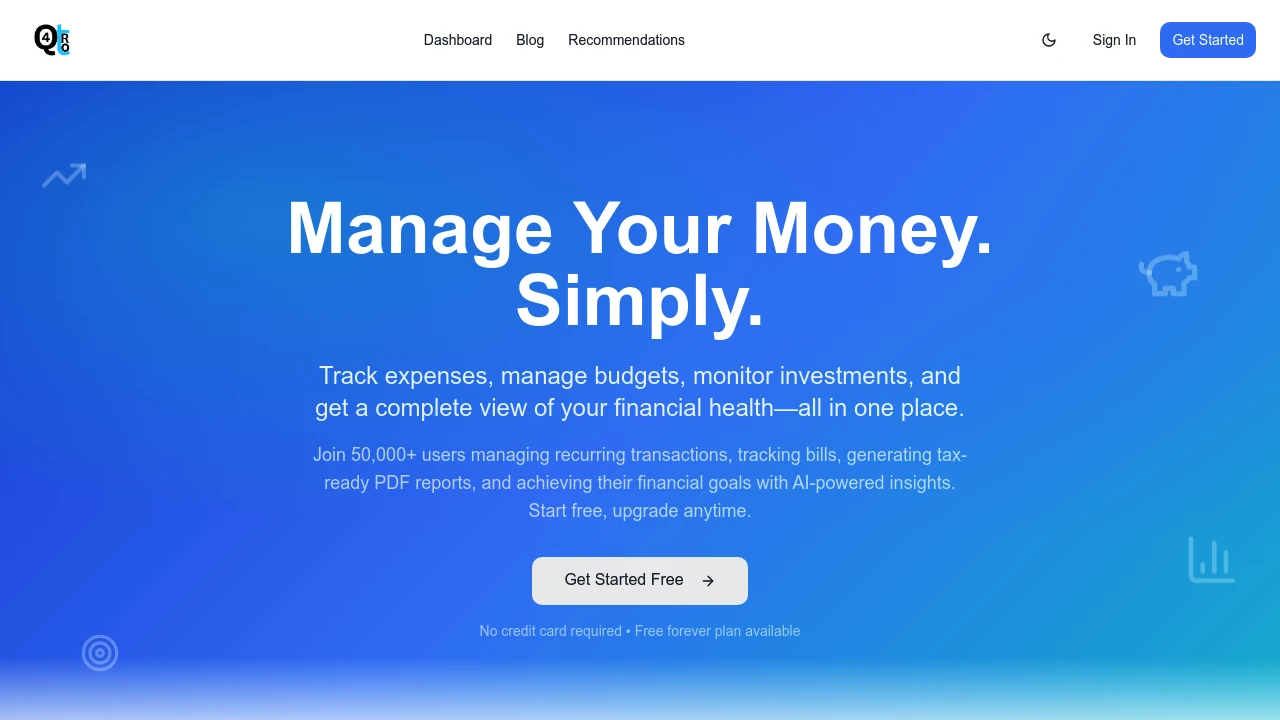
What is Qu4tro
Qu4tro is a professional expense management and financial insights platform designed for organizations that need centralized expense capture, verification, and reporting. The application combines AI-powered receipt processing with rules-based expense workflows to reduce manual data entry, speed approvals, and improve accuracy for accounting teams. Qu4tro targets finance teams, accounting firms, startups, and mid-market businesses that require scalable expense controls and searchable financial records.
The system provides modular components—receipt OCR and classification, multi-level approvals, automated policy enforcement, and customizable analytics—that can be deployed for individual users up through enterprise organizations. Integration points for accounting systems, corporate cards, bank feeds, and single sign-on help Qu4tro fit into existing finance stacks without replacing core systems. The platform also supports multi-currency expenses and tax reporting features necessary for international operations.
Qu4tro places emphasis on extracting structured data from receipts and invoices via machine learning, then mapping those items into expense categories, VAT/tax codes, and project or client tags. This reduces reconciliation time, improves expense auditability, and produces clean exports for general ledger posting and tax preparation.
Qu4tro features
Qu4tro packages a range of capabilities focused on reducing manual bookkeeping and improving spend visibility for finance teams. Core capabilities include automated receipt capture (via mobile upload, email forwarding, and card feeds), AI-driven OCR and data extraction, configurable approval workflows, and consolidated reporting dashboards. These features enable both individual expense tracking and organization-wide spend governance.
Beyond capture and approvals, Qu4tro includes budget tracking with real-time spend alerts, project-level cost allocation, and role-based dashboards for managers and finance staff. The platform offers export options (CSV, Excel, and common accounting formats) and two-way integrations that reconcile expenses with corporate cards and accounting systems. Users can also set up custom policy rules, automated expense approvals for low-value items, and exception flags for items that require manual review.
Qu4tro also exposes analytics and insights such as spend by category, vendor analysis, reimbursement aging, and forecasting based on recurring expense patterns. These analytics are designed for finance managers who need operational KPIs and for executives monitoring overall travel and expense trends. Security features include role-based access controls, audit trails, and configurable retention policies to support compliance and internal controls.
What does Qu4tro do?
Qu4tro automates expense capture and classification. It uses AI to extract merchant, date, amount, tax, and line-item details from receipts and invoices so users and finance teams spend less time on manual entry. Mobile and email capture options mean receipts are recorded as soon as they are received.
Qu4tro enforces expense policy and approval workflows. Administrators create rules that route expenses for manager approval, require receipts for certain amounts or categories, and automatically reject items that violate configured policies. This helps reduce policy drift and improves audit readiness.
Qu4tro provides financial visibility and reporting. Managers get dashboards and scheduled reports for spend by department, project, or vendor, while finance teams get clean exports and integrations for ledger reconciliation. The platform also offers budget tracking and alerting to prevent overspend against predefined limits.
Qu4tro pricing
Qu4tro offers flexible pricing tailored to different business needs, with options for individuals, growing teams, and enterprise deployments. Pricing is typically structured by feature set and number of active users, and may include per-user, per-transaction, or flat-fee tiers depending on organizational requirements.
Typical plan structure includes:
- Free (Personal): Entry-level access for single users or freelancers with basic receipt capture and limited monthly uploads
- Professional: Core features including AI receipt processing, multi-user access, standard integrations, and reporting
- Business: Enhanced workflow controls, advanced analytics, and priority support for mid-sized teams
- Enterprise: Custom security, SSO, dedicated onboarding, API access, and volume pricing for large organizations
Organizations evaluating Qu4tro should review feature inclusions such as the number of OCR pages, integration connectors, and service-level commitments. Check Qu4tro's current pricing for the latest rates and enterprise options.
How much is Qu4tro per month
Qu4tro offers monthly pricing options with flexible tiers that scale by user count and features. Monthly billing is suitable for teams that prefer short-term commitments or want to pilot the platform without an annual contract.
Many customers will see entry-level monthly plans for sole proprietors or small teams, while mid-market plans include additional seats and integration allowances billed monthly. Larger customers often negotiate monthly or quarterly billing as part of a custom enterprise agreement.
View Qu4tro's monthly pricing tiers to compare current rates and feature limits.
How much is Qu4tro per year
Qu4tro provides annual billing options that typically offer cost savings compared to monthly billing. Annual contracts are common for teams that require predictable budgeting and formal vendor agreements.
Annual plans usually include volume discounts and an onboarding package for paid tiers. Enterprise annual agreements may include SLAs, custom integrations, and dedicated customer success resources.
Compare Qu4tro's annual pricing plans for specific discounts and contractual terms.
How much is Qu4tro in general
Qu4tro offers a range of pricing options from a free or low-cost single-user tier up to enterprise plans with advanced features and support. The final cost typically depends on user count, number of receipts processed, level of integrations, and whether advanced analytics or API access is required.
Budget planners should account for both subscription fees and ancillary costs such as implementation, custom integration development, and training. Budgeting examples might include one-time onboarding fees and recurring per-user or per-transaction charges for high-volume environments.
For precise estimates based on your organization’s size and needs, review the detailed cost breakdown on Qu4tro's pricing and plans.
What is Qu4tro used for
Qu4tro is used to centralize and automate the capture, approval, and reporting of business expenses. Typical use cases include employee reimbursement workflows, corporate card reconciliation, client/project expense tracking, and VAT/tax reporting. The platform is also useful for finance teams seeking to reduce month-end reconciliation time and improve audit trails.
Project managers and department heads use Qu4tro to monitor budgets at a granular level—allocating expenses to projects or clients and receiving alerts when spending approaches thresholds. Accounting teams use automated exports and mapping features to reduce manual ledger entries and improve accuracy in financial statements.
Finance leaders use Qu4tro's analytics to identify vendor consolidation opportunities, recurring subscriptions, or policy non-compliance. The data also supports forecasting and cost-control initiatives across travel, procurement, and recurring operational expenses.
Pros and cons of Qu4tro
Pros:
- Automated receipt processing reduces manual data entry and speeds up reimbursements.
- Configurable approval workflows help enforce company policy and provide clear audit trails.
- Detailed analytics and budgeting enable finance teams to track spend by project, department, or vendor.
Cons:
- Initial setup and policy configuration require dedicated time from finance and IT teams to align with existing accounting practices.
- Integrations with niche or legacy accounting systems may require custom connectors or middleware development.
- Organizations with very low volume expense activity may find advanced analytics unnecessary relative to subscription costs.
Overall, Qu4tro is best suited for organizations that need structured expense controls, automated capture, and visibility across multiple teams or cost centers. The platform’s benefits are strongest when integrated into existing accounting and card programs.
Qu4tro free trial
Qu4tro commonly offers trial periods or freemium tiers that let teams evaluate receipt capture, basic workflows, and analytics before committing to paid plans. Trials are useful for validating OCR accuracy, testing policy enforcement, and confirming integration behavior with card feeds and accounting exports.
During a trial, finance teams should run parallel processes—using Qu4tro alongside existing workflows—to validate reconciliation outputs and ensure exported data aligns with general ledger expectations. This testing period is an opportunity to fine-tune approval rules and train users on mobile capture and tagging practices.
To begin a trial or request a demo, prospective customers can sign up through Qu4tro’s onboarding page. The trial experience often includes access to support resources and limited onboarding assistance to help configure core settings.
Is Qu4tro free
Qu4tro offers a free or low-cost personal tier for individual users or single-person businesses with limited monthly uploads and basic capture features. This tier is intended for simple use and testing rather than full corporate deployment.
For teams, paid plans unlock higher upload limits, admin controls, integrations, and advanced analytics. Organizations with higher volume needs or compliance requirements usually select Professional, Business, or Enterprise plans.
Check Qu4tro's signup options to see whether the free tier or a trial matches your evaluation needs.
Qu4tro API
Qu4tro provides an API and webhook framework to integrate expense data with accounting systems, HR/payroll tools, ERP systems, and custom internal applications. Typical API capabilities include creating and retrieving expenses, uploading receipt images, querying OCR results, and managing users and policies programmatically.
The API supports common authentication methods such as OAuth 2.0 and API keys, and it exposes pagination, filtering, and batch endpoints to handle high-volume exports. Webhooks notify external systems in near-real time for events such as expense submission, approval, or rejection—enabling automated ledger posting or notification workflows.
Developers can use the API to build custom dashboards, integrate Qu4tro into single sign-on ecosystems, or automate complex export mappings to general ledger systems. For developer resources and endpoint details, consult the Qu4tro API documentation.
10 Qu4tro alternatives
Paid alternatives to Qu4tro
- Expensify — Expense reporting with SmartScan OCR, corporate card reconciliation, and compliance controls for mid-sized companies.
- SAP Concur — Enterprise-grade travel and expense management with deep ERP integrations and global compliance features.
- Brex — Corporate card and expense management combined with corporate finance tools for startups and high-growth companies.
- Ramp — Spend management and automation focused on cost optimization with robust analytics and vendor management.
- Zoho Expense — Expense tracking integrated within the Zoho suite, suitable for small to mid-sized teams looking for end-to-end Zoho integration.
- Certify (now part of Emburse) — Expense and invoice management with configurable workflows and audit capabilities for finance teams.
- Divvy — Budgeting, corporate cards, and expense management that emphasize real-time spend controls and PO workflows.
Open source alternatives to Qu4tro
- FOSS-Expense — Community-driven expense tracking systems that can be self-hosted and customized for internal workflows.
- ERPNext (Expenses module) — Open source ERP with an expenses module that supports receipt attachment, approvals, and accounting exports.
- Odoo (Community Edition) — Open source ERP with expense management apps that integrate into broader accounting and invoicing workflows.
- Ofbiz — Apache OFBiz includes components that can be configured for expense tracking and financial workflows in self-hosted deployments.
Frequently asked questions about Qu4tro
What is Qu4tro used for?
Qu4tro is used for professional expense tracking and financial reporting. It centralizes receipt capture, automates classification of expenses with AI, and supports approval workflows so finance teams can reconcile spend faster and produce accurate reports for accounting and tax purposes.
How does Qu4tro process receipts?
Qu4tro uses AI-powered OCR to extract receipt data. The system identifies merchant names, dates, amounts, taxes, and line items, then maps those fields to expense categories and tax codes, reducing manual entry and improving the speed of reimbursements.
Does Qu4tro integrate with accounting software?
Yes, Qu4tro offers integrations with major accounting systems. It provides export formats and direct connectors for common ledgers, enabling automated journal entry creation and reconciliation with corporate card feeds.
Can Qu4tro handle multiple currencies?
Yes, Qu4tro supports multi-currency expense capture. The platform records original currency values, applies exchange rates, and produces converted ledger exports to simplify accounting for international spend.
Is there a free version of Qu4tro?
Yes, Qu4tro offers a free or low-cost personal tier. This tier allows single users or freelancers to capture receipts and test core features, but paid tiers include multi-user management, integrations, and advanced analytics.
Why should finance teams use Qu4tro?
Qu4tro reduces manual reconciliation and improves policy enforcement. By automating data capture, approvals, and reporting, finance teams save time, lower error rates, and gain better visibility into corporate spending.
When should a company move to Qu4tro's paid plans?
When the volume of expenses or complexity of approvals increases. Organizations that require multi-user access, integration with accounting systems, or advanced analytics typically upgrade to paid plans to access those capabilities and higher usage limits.
Where can I export data from Qu4tro?
Qu4tro exports data in common formats and via direct connectors. You can export CSV/Excel or push data to accounting systems through native connectors or the API for automated ledger reconciliation.
What security measures does Qu4tro use?
Qu4tro implements role-based access and audit logging. It supports secure authentication methods, encrypted data transfers, and traceable audit trails to meet internal control and compliance requirements.
How accurate is Qu4tro's OCR for receipts?
Qu4tro's OCR uses machine learning models optimized for receipts. Accuracy improves with common merchant formats and by training on organization-specific receipt patterns; a small percentage of receipts may still require manual verification for edge cases.
Qu4tro careers
Qu4tro hires across product, engineering, customer success, and finance operations to support the platform’s development and customer implementations. Open roles commonly include software engineers focused on OCR/ML, product managers for financial workflows, and customer success managers who handle onboarding and integrations.
Working at Qu4tro typically involves collaboration between product and finance teams to prioritize features that reduce reconciliation time and improve analytics. Candidates with domain expertise in payments, accounting, or machine learning are often prioritized.
For job listings and application procedures, check the Qu4tro careers page where the company posts openings and details about benefits and team culture.
Qu4tro affiliate
Qu4tro offers partner and reseller programs for accounting firms, consultants, and software integrators that help deploy and support the platform for customers. Affiliate partners typically receive referral fees, co-marketing resources, and access to partner support channels to facilitate deployments.
Partners can also leverage the API and integration documentation to build custom connectors or value-added services around expense automation and data exports. For information on affiliate requirements and partner benefits, explore the Qu4tro partner program.
Where to find Qu4tro reviews
You can find user reviews and ratings on software comparison sites and community forums where finance professionals discuss expense management solutions. Look for reviews that reference OCR accuracy, integration reliability, and responsiveness of customer support to gauge fit for your organization.
For structured testimonials and case studies, visit Qu4tro’s customer stories and success pages. Independent review sites and professional networks are also valuable for peer feedback when evaluating Qu4tro against alternatives.
Qu4tro
Qu4tro provides a focused solution for organizations that need dependable expense capture, policy enforcement, and financial reporting. Its AI-driven receipt processing, configurable workflows, and analytics equip finance teams to reduce reconciliation overhead and produce actionable spend insights. Whether evaluating the free tier or considering enterprise features, teams should map required integrations, user counts, and reporting needs against Qu4tro’s plans to determine the right configuration.
For detailed feature lists, API guides, and to evaluate pricing options for your organization, review Qu4tro’s official product pages and documentation: Qu4tro features and integrations | Qu4tro API documentation | Qu4tro's current pricing.

Similar to Qu4tro


