
Slack
Real-time team communication platform for companies of all sizes that combines channels, direct messaging, app integrations, workflow automation, and AI features to help teams share knowledge, coordinate projects, and work with external partners.
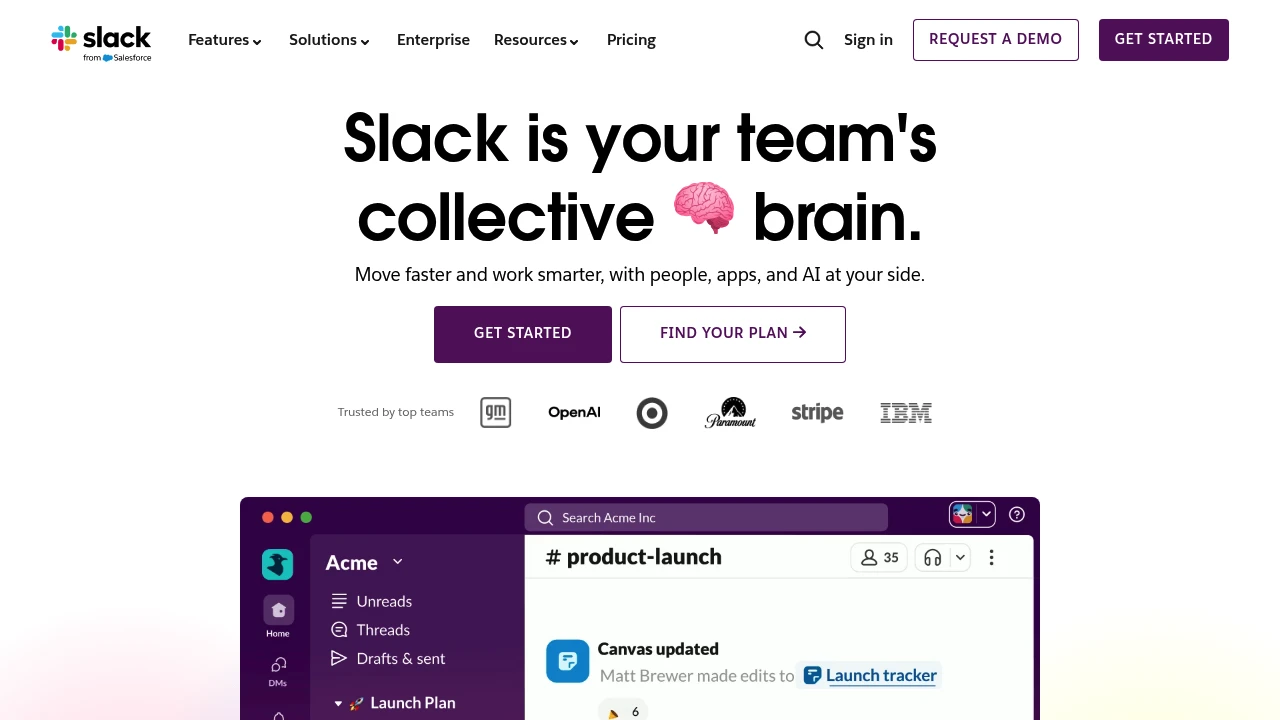
What is Slack
Slack is a cloud-based messaging and collaboration platform designed to centralize team communication, files, and integrations in persistent channels. It separates conversations by topic, project, or team using channels, while also supporting direct messages, voice/video huddles, and threaded conversations to keep context organized. Slack Connect extends the platform to external partners and customers, allowing secure cross-organization channels.
Beyond messaging, Slack functions as a work platform by surface-linking the tools teams already use: more than 2,600 third-party apps can be connected so actions from other systems show up directly in Slack. Slack also includes search and knowledge features to surface past conversations and files, plus administrative controls for identity, compliance, and auditability.
Recent additions emphasize embedded AI capabilities—thread summarization, channel recaps, AI search answers, and third-party AI agents—so teams can compress meeting notes, extract action items, and get contextual assistance without leaving channels. Slack is commonly used as the central hub for internal and external collaboration, integrated workflows, and lightweight operational automation.
Slack features
What does Slack do?
Slack provides several core feature areas that support day-to-day teamwork and operational workflows:
- Collaboration: channels (public and private), direct messages, threads, message reactions, file sharing, and inline replies that preserve conversational context and reduce inbox traffic.
- Knowledge: full-text search across messages and files, pinning and bookmarking, message and file history access, and channel-based knowledge organization so teams can retrieve decisions and records.
- Integrations: a built-in app directory with thousands of integrations, incoming/outgoing webhooks, and automation tools so systems like CRMs, ticketing, CI/CD, and calendars surface updates in Slack.
- AI: built-in AI features for summarizing long conversations, extracting action items from threads or meetings, contextual question answering, and support for third-party AI agents embedded in channels.
- Admin & security: single sign-on (SSO), SCIM provisioning, audit logs, data export options, encryption in transit and at rest, granular permissions and channel controls, and enterprise policies for data residency and compliance.
Slack also includes low-code automation via Workflow Builder and support for custom Slack apps using its APIs and SDKs. Many teams pair those capabilities to automate repeated processes (e.g., request forms, onboarding checklists, and incident notifications) directly inside channels.
Slack pricing
Slack offers these pricing plans:
- Free Plan: $0 with limitations on message history, integrations, and storage
- Pro: $8/month per user (billed annually) or $10/month per user (billed monthly)
- Business+: $15/month per user (billed annually) or $18/month per user (billed monthly)
- Enterprise Grid: custom pricing; contact sales for volume discounts and enterprise contracts
For typical annual savings: choosing annual billing for Pro (annual $96/year per user) implies roughly a 20% savings versus paying $10/month per user monthly. For Business+, annual billing at $180/year per user vs $18/month per user monthly implies around 16.7% savings. Check Slack's current pricing options (https://slack.com/pricing) for the latest rates and enterprise options. Visit their official pricing page for the most current information.
How much is Slack per month
Slack starts at $8/month per user when billed annually for the Pro plan, with a higher month-to-month rate if you choose monthly billing ($10/month per user). The Business+ tier is typically aimed at larger teams needing added compliance and security features and starts at $15/month per user when billed annually. Enterprise Grid pricing is quote-based and depends on number of users, regional needs, and contractual requirements.
How much is Slack per year
Slack costs $96/year per user for the Pro plan when billed annually (equivalent to $8/month per user billed annually). The Business+ plan billed annually comes to $180/year per user (equivalent to $15/month per user). Enterprise Grid customers receive custom or volume-based annual pricing through a sales agreement. For current annual and volume pricing, check Slack's official pricing options (https://slack.com/pricing).
How much is Slack in general
Slack pricing ranges from $0 (Free Plan) to custom Enterprise Grid pricing, with typical paid tiers around $8–$15/month per user when billed annually. Small teams often use the Free Plan or Pro tier, mid-size teams choose Business+ for additional admin and compliance features, and large organizations negotiate Enterprise Grid for enhanced governance and support. Always compare included feature sets (message retention, integrations, support, SAML/SSO, audit logging) when evaluating plan value.
Visit their official pricing page for the most current information.
What is Slack used for
Slack is primarily used for real-time internal communication, replacing parts of email for rapid team coordination. Teams create channels organized by team, project, customer, or topic so discussions, decisions, and files remain discoverable for current and future team members. Channels are also frequently used for operational alerting (monitoring and incident notifications), onboarding new employees, and cross-functional coordination.
Slack Connect is used to collaborate securely with external partners, vendors, and customers without switching systems—teams share channels across organizations and maintain administrative controls over who can join and what content can be shared. This reduces email threads and speeds up decision cycles with outside stakeholders.
Beyond communication, Slack is used as a lightweight orchestration layer for workflows: automated notifications from services, approval workflows using forms and buttons, and integrated apps that enable actions like creating tickets, logging sales activity, or updating records in a CRM directly from Slack messages.
Pros and cons of Slack
Slack has clear advantages for many teams:
- Rapid, threaded communication and persistent channels make it easy to capture conversational context and find past decisions.
- Large ecosystem of apps and integrations reduces context switching and keeps status updates centralized in channels.
- Workflow Builder and simple automation let non-developers create repeatable processes without a separate tool.
- Slack Connect enables efficient collaboration with external organizations under centralized controls.
Common trade-offs and limitations to consider:
- Information overload: high message volume can make it hard to keep up without disciplined channel hygiene or notification controls.
- Cost at scale: per-user pricing can grow expensive for very large organizations unless negotiated under Enterprise Grid.
- Search and retention policies vary by plan: the Free Plan limits access to historical messages which can hinder knowledge continuity.
- Customization and API-powered automations can require engineering effort to scale securely across an enterprise.
Decision-makers should weigh Slack’s collaboration value against notification management, plan-level retention limits, and integration maintenance costs.
Slack free trial
Slack provides a generous Free Plan that allows teams to try core messaging and channel features without an upfront cost. The Free Plan includes access to a limited message history, a capped number of third-party integrations, and basic search and file upload capability—adequate for small teams or project-based usage.
Paid plans often include a free trial period or allow users to upgrade and evaluate Pro or Business+ features on a short-term basis; organizations commonly test features like advanced search, SSO, and audit logs before committing to a paid tier. For enterprise buyers, Slack sales teams often arrange pilot programs to evaluate Enterprise Grid features at scale.
If your use case requires long-term message history, compliance exports, or advanced security controls, compare the Free Plan against the paid tiers and consider a short trial of Pro or Business+ to validate those specific needs. For the most current trial and upgrade options, consult Slack's upgrade and pricing documentation (https://slack.com/pricing).
Is Slack free
Yes, Slack offers a free plan that provides channels, direct messages, voice/video huddles, and limited message history and integrations. The Free Plan is suitable for very small teams or temporary projects but has caps on searchable message history and the number of integrations. Upgrading to Pro or Business+ restores full message history, removes many integration caps, and adds advanced administration and compliance features.
Slack API
Slack provides a comprehensive developer platform for building apps, bots, and integrations. The platform includes the Web API for calling Slack methods, the Events API for reacting to workspace events, SDKs for common languages, and the Block Kit UI framework for creating rich interactive messages, modals, and app surfaces within Slack. Developers can create custom slash commands, message actions, and workflow steps backed by their own services.
API capabilities support real-time reaction through WebSocket-style connections, incoming/outgoing webhooks, and granular OAuth scopes to limit app permissions. Enterprise customers can use additional admin and governance APIs for provisioning, audit logging, and workspace-level app controls.
Rate limits, permission scopes, and best practices are documented on Slack’s developer portal; teams should design retry, backoff, and security patterns (token rotation, least privilege) when building production integrations. For detailed technical guides and examples consult the Slack API documentation (https://api.slack.com).
10 Slack alternatives
Paid alternatives to Slack
- Microsoft Teams: Integrated chat, meetings, and collaboration tightly coupled with Microsoft 365 productivity apps; strong choice for organizations already using Office apps and Azure identity.
- Google Chat: Messaging and rooms integrated with Google Workspace, including deep ties to Gmail, Drive, and Google Meet for organizations standardized on Google services.
- Zoom Team Chat: Messaging and channels built into Zoom’s conferencing product, useful when persistent chat is tightly coupled with frequent video meetings.
- Cisco Webex: Collaboration suite that includes messaging, calling, and meetings with enterprise-grade security controls and integrations with Cisco networking tools.
- Workplace from Meta: Social-first collaboration platform with familiar posting and group mechanics, often used for company-wide communication and communities.
- Flock: Business messaging with built-in productivity tools and a focus on streamlined communication and lightweight project workflows.
- Front: Communication platform focused on shared inboxes and external-facing conversations (email, chat) with workflows tuned for customer-facing teams.
Open source alternatives to Slack
- Mattermost: Self-hosted or cloud versions provide team chat, threaded messaging, and integrations with full control over deployment and data residency.
- Rocket.Chat: Open source chat server with real-time messaging, audio/video, and rich customization for teams that must self-host and control data.
- Zulip: Threaded, topic-based messaging that emphasizes organized conversations with strong developer and open-source community support.
- Element (Matrix): Client for the Matrix open communication protocol enabling federated, end-to-end encrypted chat and room-based collaboration.
Frequently asked questions about Slack
What is Slack used for?
Slack is used for team communication and collaboration. Teams use channels to organize conversations by project, topic, or team, direct messages for private conversations, and integrations to receive external system updates inside Slack. It also serves as a lightweight workflow layer for notifications and approvals.
How does Slack pricing work?
Slack offers tiered pricing with monthly and annual billing options. There is a Free Plan and paid tiers—Pro and Business+—with per-user rates that are lower when billed annually; Enterprise Grid uses custom pricing. For current plan details and discounts, see Slack's pricing page (https://slack.com/pricing).
Does Slack offer a free plan?
Yes, Slack provides a Free Plan. The free tier includes channels, DMs, voice/video huddles, and basic integrations but limits searchable message history and the number of integrations. Paid plans restore full history, add admin controls, and expand integration and support options.
Can Slack integrate with my other tools?
Yes, Slack supports thousands of integrations. The Slack App Directory hosts more than 2,600 apps that connect CRMs, ticketing systems, monitoring, CI/CD, calendars, and productivity tools directly into channels; teams can also build custom apps using the Slack API (https://slack.com/apps).
Is Slack secure for enterprise use?
Yes, Slack includes enterprise-grade security controls. The platform supports SSO/SAML, SCIM provisioning, audit logs, encryption in transit and at rest, and administrative controls; Enterprise Grid adds advanced governance and compliance features. For specifics on compliance certifications and controls, review Slack's enterprise security features (https://slack.com/security).
Why use Slack instead of email for team communication?
Slack reduces long email threads and centralizes project conversations. Channels keep discussions visible and searchable, real-time notifications speed decisions, and integrations surface actionable updates from other systems—together these features help teams act faster than asynchronous email for many collaborative workflows.
When did Slack introduce AI features?
Slack has introduced AI features progressively over recent product releases. Recent updates added channel recaps, thread summaries, AI search, and support for third-party AI agents; availability and feature sets have expanded in 2023–2025. For the latest AI capabilities and release notes, check Slack’s product and AI feature pages (https://slack.com/features).
Where can I find Slack careers?
Slack posts job openings on its careers site and Salesforce job pages. You can search roles by engineering, product, design, and customer-facing positions and find location and remote work details. For current openings and hiring programs visit Slack’s careers listing (https://slack.com/careers) or Salesforce careers pages.
How do I become a Slack affiliate or partner?
Slack runs partner and developer programs for agencies and app builders. Interested companies can join the Slack Partner Program or register as app developers to publish in the Slack App Directory; partner levels and benefits vary by region and partnership type. See Slack’s partner and developer program pages for application details (https://slack.com/partners).
Does Slack have an API I can use?
Yes, Slack provides a full developer platform and APIs. Developers can use the Web API, Events API, Block Kit, SDKs for multiple languages, and app management tools to build integrations, bots, and interactive experiences inside Slack. Technical documentation and examples are available on the Slack API portal (https://api.slack.com).
How do I get support for Slack?
Slack provides support through in-product help, documentation, and paid support tiers. Free and paid users can access help articles and community resources; paid plans include prioritized support and enterprise customers receive dedicated support and account teams. For support options and contact details see Slack's help center (https://slack.com/help).
slack careers
Slack hiring spans engineering, product, design, sales, and customer success roles and is posted through the company careers portal and Salesforce careers pages. Job listings include role descriptions, location/remote options, and typical requirements like experience with distributed systems, integrations, security, or customer-facing support. Slack emphasizes inclusive hiring and provides details about benefits, relocation, and recruiting events on its careers site.
Interested applicants should follow application instructions for individual postings and may find internship and university recruiting programs seasonally. For current openings and recruiting events consult Slack’s careers page (https://slack.com/careers).
slack affiliate
Slack operates partner and developer programs that let agencies, consultancies, and software vendors build integrations or resell Slack services. Organizations interested in partnership can apply to Slack’s partner program to access co-marketing, technical enablement, and sales support options. Independent developers can register apps and submit them to the Slack App Directory to reach workspace customers; partner benefits and requirements are listed on Slack’s partner pages.
Where to find slack reviews
Reviews for Slack are widely available across industry sites and user-review platforms. For enterprise and product comparisons consult G2 reports and reviews where Slack appears across many market categories, and check independent analyst reports for feature and vendor comparisons (see G2’s Slack profile and related market reports). You can also survey user feedback in technical communities and social channels to understand real-world pros and cons before choosing a plan.

Similar to Slack


